
You might like:


About this App
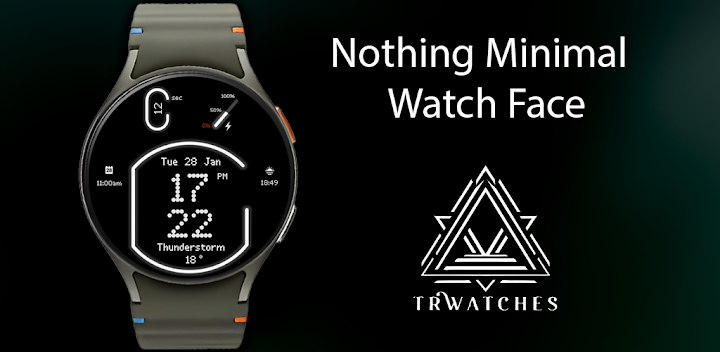
Nothing Theme Watch Face with multiple features
Nothing Minimal Watch Face – Because Less is More! ⌚✨
Experience the art of minimalism with the Nothing Minimal Watch Face, a sleek and futuristic neon-themed design that brings simplicity and style to your smartwatch. With smooth neon animations, customizable AM/PM or 24H clock, and detailed battery and weather information, it’s everything you need – and nothing you don’t! Featuring 2 customizable widgets and multiple color options, it's the perfect blend of elegance and functionality.
Key Features:
🔹 Nothing but Style: Neon-inspired minimal design for a futuristic look.
🔹 Animated Neon Seconds: A dynamic glow that keeps things exciting.
🔹 Selectable AM/PM or 24H Clock: Choose your preferred time format.
🔹 Full Date Display: Stay informed at a glance.
🔹 Battery & Weather Info: Track your power and forecast with ease.
🔹 2 Customizable Widgets: Add your personal touch.
🔹 Multiple Colors: Match your mood or style effortlessly.
Why Choose Nothing?
✨ Because simplicity is the ultimate sophistication.
✨ A stylish choice for lovers of clean, modern designs.
✨ Focus on what matters – no clutter, just perfection.
Download Nothing Minimal Watch Face today and embrace the power of simplicity!
--------------------------------------------------------------------------------------------------------
Watch face installation notes on smart watch:
Phone app serves only as a placeholder to make it easier to install & find the watch face on your Wear OS watch. You have to select your watch device from the install dropdown menu.
If you download the helper directly with the phone , you need to open application and touch on the display or the download button. -> will start to install on the watch.
A wear os watch need to be connected.
If not working in that way , you can copy that link into your phone chrome browser and click on arrow down from right , and you choose the watch face to install.
..............................................
After installation you need to set that watch face to your screen , from wear OS app , go down at downloaded watch faces and you will find it.
If you have problems , please contact me on raduturcu03@gmail.com
xxxxxxxxxxxxxxxxxxxxxxxxxxxxxxxxxxxxxxxxxxxxxxxx
FOLLOW US AT TELEGRAM : https://t.me/TRWatchfaces
FOLLOW US WEBSITE TO GET FREE COUPONS : https://trwatches9.wordpress.com/
xxxxxxxxxxxxxxxxxxxxxxxxxxxxxxxxxxxxxxxxxxxxxxxxx
Try to see others designs in my google profile.


