You might like:


About this App
A different watch face for your style! 3 Different Colors , 3D steam effect
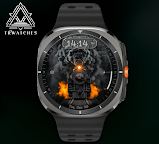
Train 3D Animated Watch Face: All Aboard the Style Express! 🚂✨
Choo-choo! Get ready to take your smartwatch on an unforgettable journey with Train 3D Animated Watch Face. Featuring a realistic 3D train steam effect, animated headlights, and all the functionality you could ask for, this watch face is a first-class ticket to fun and flair.
Why You'll Love It:
🚂 Selectable Clock Format: Whether you’re team AM/PM or love that 24-hour vibe, we’ve got you covered.
📅 Full Date Display: Because missing an important date is a train wreck we’ll help you avoid.
🔋 Battery Indicator: Never run out of steam! Keep track of your smartwatch’s energy level in style.
🎛️ Customizable Widget: Add your favorite info widget to keep everything on track.
💡 Animated Train Light: A glowing headlight that keeps the vibes alive—day or night.
💨 3D Steam Effect: Watch the steam puff out of your watch like the real deal. Warning: It’s mesmerizing!
What Makes Train 3D Special?
🔥 Combines jaw-dropping 3D animation with full smartwatch functionality.
⚡ Perfect for train enthusiasts, animation lovers, and anyone who wants their watch face to stand out.
🎨 Fully customizable, so you can personalize it just the way you like.
Get Train 3D Animated Watch Face Now and let your wrist take you on a ride of style and innovation! 🚀
--------------------------------------------------------------------------------------------------------
Watch face installation notes on smart watch:
Phone app serves only as a placeholder to make it easier to install & find the watch face on your Wear OS watch. You have to select your watch device from the install dropdown menu.
If you download the helper directly with the phone , you need to open application and touch on the display or the download button. -> will start to install on the watch.
A wear os watch need to be connected.
If not working in that way , you can copy that link into your phone chrome browser and click on arrow down from right , and you choose the watch face to install.
..............................................
After installation you need to set that watch face to your screen , from wear OS app , go down at downloaded watch faces and you will find it.
If you have problems , please contact me on raduturcu03@gmail.com
xxxxxxxxxxxxxxxxxxxxxxxxxxxxxxxxxxxxxxxxxxxxxxxx
FOLLOW US AT TELEGRAM : https://t.me/TRWatchfaces
FOLLOW US WEBSITE TO GET FREE COUPONS : https://trwatches9.wordpress.com/
xxxxxxxxxxxxxxxxxxxxxxxxxxxxxxxxxxxxxxxxxxxxxxxxx
Try to see others designs in my google profile.