You might like:


About this App
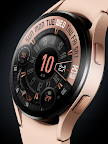
Exclusive Watch Face for Wear OS Watch
Stylish design with exclusive materials to be an exclusive masterpiece by USA Design.
This watch face requires Wear OS API 33+ (Wear OS 4 or newer). Compatible with Galaxy Watch 4/5/6/7/8 Series and newer, Pixel Watch series and other watch face with Wear OS 4 or newer.
Features:
- Customize plate color style
- Customize the hour, battery color
- 12/24 hour mode
- Battery information gauge
- Customisable Steps information ( you change it to weather or other available info)
- 2 custom app shortcuts
- AOD dim mode
Tap and hold the watch face and go to the "customize" menu (or settings icon under the watch face) to change the styles and also manage the custom shortcut complication.
To show the heart rate, wear the watch, stay still and tap the heart rate area. It will blink and measure your heart rate. The heart rate will be shown after the successful reading. The default usually shows 0 before the reading is complete.
The heart rate synced with S-Health data and you can change the reading interval setting on the S-Health HR setting. Make sure to allow "sensor" permission to be able showing the heart rate.
To change between 12 or 24-hour mode, go to your phone date and time settings and there is an option to use 24-hour mode or 12-hour mode. The watch will sync with your new settings after a few moments.
Special designed Always On Display ambient mode. Turn on the Always On Display mode on your watch settings to show a low power display on idle. Please be aware, this feature will use more batteries.
Make sure you are purchasing using the same Google account registered on your watch. The installation should begin automatically on the watch after a few moments.
After the installation is completed on your watch, do these steps to open the watch face on your watch :
1. Open the watch face list on your watch (tap and hold the current watch face)
2. Scroll to the right and tap "add watch face"
3. Scroll down and find new installed watch face in the "downloaded" section
Check this video for more details
https://youtu.be/fhOjJtKMNws
Join our Telegram group for live support and discussion
https://t.me/usadesignwatchface