You might like:


About this App
Mp Video Converter & Compress, Crop Video, Reduce Video Size & Reverse Video
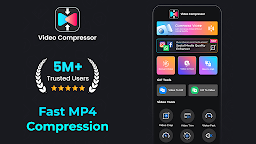
Video Compressor: Media Converter: Optimize, Compress & Enhance!
Looking for a powerful solution to compress, convert, and optimize your media files? Video Compressor: Media Converter has everything you need to manage your footage collection efficiently. With features that include high-quality compression, clip-to-audio conversion, and file resizing, this Reverse Video Editor app transforms how you work with media. Enjoy enhanced footage quality, easy audio extraction, and seamless format conversions, making your footage more accessible and manageable.
📄 Key Features of Video Compressor: Media Converter: 📄
🎥 Compress Videos: MP4 to MP3 Converter;
🎥 Video Converter: Extract Audio From Video;
🎥 Audio Extractor & MP4 Compressor: Compress files efficiently with Video Compressor: Media Converter;
🎥 Video Quality Enhancer & MP4 Converter;
🎥 Video To MP3 Converter Audio Extractor;
🎥 Reverse Video Editor: Add a unique perspective by reversing clips;
🎥 Video To Audio Converter: Convert clips to MP3 for audio-only files;
🎥 Crop Video To MP3 Converter: Extract sound from clips and save as MP3;
🎥 Video To Audio Converter & Size Reducer: MP4, MKV, AVI, and more for maximum compatibility;
🎥 Mute & Trim: Remove audio or trim with the Video Compressor: Media Converter.Efficient Compression & Conversion for Your Videos
Easily compress clips to a smaller size with Compress Videos: MP4 to MP3 Converter. The Audio Extractor & MP4 Compressor ensures you don’t sacrifice quality while reducing file size, perfect for sharing on various platforms. Adjust the resolution and bitrate for tailored compression that meets your exact needs.
Video To Audio Converter & Size Reducer:
With the Video Converter: Extract Audio From Video feature, you can turn your favorite clips into audio files in seconds. Use our fantastic tool to create music or soundtracks, making audio extraction more straightforward. Its the Video To Audio Converter & Size Reducer, perfect for converting podcasts or lectures to MP3 for easy listening.
Video Converter: Extract Audio From Video:
The Video Quality Enhancer & MP4 Converter allows you to upgrade your quality before compressing, ensuring clarity and visual appeal. Need a different aspect ratio? The Crop Video To MP3 Converter lets you crop and resize any clip to fit specific dimensions, ideal for custom viewing needs.
Compress Videos: MP4 to MP3 Converter:
Try the Reverse Video Editor to flip time with a captivating effect by reversing any clip. The Mute feature removes unwanted audio for a more polished look. The Crop Video To MP3 Converter can also rotate clips for the perfect orientation, offering flexibility in presentation and editing.
Audio Extractor & MP4 Compressor:
With the Trimmer & Cutter features, trim and cut clips precisely to your preferred length. Perfect for creating concise clips, especially when sharing on status platforms or for quick messaging. The Video To MP3 Converter Audio Extractor app supports various formats, ensuring smooth device editing.Try Our Video Quality Enhancer & MP4 Converter!
Video Compressor: Media Converter is an essential tool for anyone who wants to convert, compress, and optimize clips with ease. Enhance your footage experience today by making your files more accessible and space-saving with the ultimate Video To MP3 Converter Audio Extractor.