
You might like:


About this App
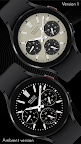
Sleek and elegant classic watch face from CELEST Watches
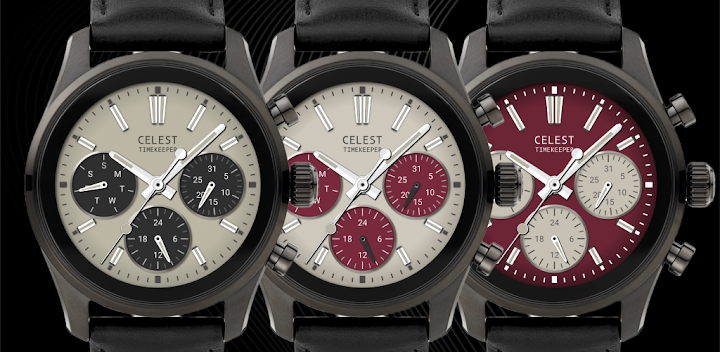
Designed with meticulous attention to detail, this watch face boasts a timeless aesthetic featuring three sophisticated sub-dials displaying the weekday, date, and a 24-hour hand for enhanced timekeeping precision. As the sweeping seconds hand glides seamlessly across the dial, you'll experience a sense of refined sophistication with every glance at your wrist. With nine stunning background variations showcasing classic color combinations, you can effortlessly tailor your timepiece to suit any occasion or mood.
Not stopping at mere aesthetics, our digital watch face offers unparalleled customization options. Choose from three distinct variations for the subdial hands, including light, dark, or dark red, allowing you to personalize your watch face to match your unique style. Additionally, with the innovative feature of interchangeable circular complications, you have the freedom to further enhance your watch's functionality according to your preferences. From tracking your heart rate and steps to staying informed about the weather or battery life, our digital watch face empowers you to stay connected and in control throughout your day, seamlessly blending timeless design with cutting-edge technology for a truly unforgettable accessory.
INSTALLATION GUIDE ↴
When attempting to install a watch face from the official Google Play Android app, you may encounter several issues.
In cases where the watch face is installed on your phone but not on your watch, the developer has included a companion app to enhance visibility on the Play Store. You can uninstall the companion app from your phone and look for a triangular symbol next to the Install button in the Play Store app (https://i.imgur.com/OqWHNYf.png). This symbol indicates a dropdown menu, where you can pick your watch as the target for installation.
Alternatively you can try to open the Play Store in a web browser on your laptop, Mac or PC. This will enable you to visually select the correct device for installation (https://i.imgur.com/Rq6NGAC.png).
[Samsung] If you followed the aforementioned instructions and the watch face still doesn't appear on your watch, open the Galaxy Wearable app. Navigate to the Downloaded section within the app, and you'll find the watch face there (https://i.imgur.com/mmNusLy.png). Simply click on it to initiate the installation.
WATCH FACE DETAILS ↴
Customization:
- 9 background variations
- 3 color variations for the small hands (light, dark, dark red)
- 9 complication background variations for each small dial if you opt to use complications instead of the default dials
- AOD complication background option for each small dial if you opt to use complications instead of the default dials
- 3 circular complication placement options that replace the small dials
Please note that if you want to use complications instead of the small dials, you have to set backgrounds for them. You have several options for each and also option for the AOD screen, but this might make customizing the watch face a bit more tedious than usual. Feel free to experiment.
CATALOG & DISCOUNTS↴
Our online catalog: https://celest-watches.com/product-category/compatibility/wear-os/
Wear OS discounts: https://celest-watches.com/product-category/availability/on-sale-on-google-play/
FOLLOW US ↴
Instagram: https://www.instagram.com/celestwatches/
Facebook: https://www.facebook.com/celeswatchfaces
Twitter: https://twitter.com/CelestWatches
Telegram: https://t.me/celestwatcheswearos