You might like:


About this App
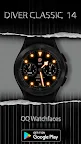
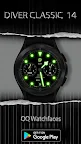
A Stylish ,colorful & luminous classic diver watch face for WEAR OS 3+ devices.
=======================================================
NOTICE: READ THIS ALWAYS BEFORE AND AFTER DOWNLOADING OUR WATCH FACE TO AVOID ANY SITUATION YOU DON'T LIKE.
=======================================================
This watch face for WEAR OS has been made in Samsung Galaxy Watch face studio which is still evolving and has been tested on Samsung Watch 4 Classic , Samsung Watch 5 Pro, and Tic watch 5 Pro. It also supports other wear os 3+ devices. Some feature experience can be slightly different on other watches.
a. Visit this link to official Install Guide written by Tony Morelan. (Sr. Developer, Evangelist). For Wear OS Watch faces powered by Samsung Watch face Studio. It is very detailed and precise with graphical and image illustrations on How to install the watch face bundle part to your connected wear os watch. Here is the link:-
https://developer.samsung.com/sdp/blog/en-us/2022/11/15/install-watch-faces-for-galaxy-watch5-and-one-ui-watch-45
b.An effort also has been made to make a brief INSTALL GUIDE which is an image added with screen previews .It is the last image in previews of this watch face for newbie android Wear OS users or those who do not know how to install the watch face to your connected device. So it is requested to also make an effort and read it before posting cannot install statements.
The watch face has following features:-
1. Tap at OQ Logo to open watch phone watch settings app.
2. Tap at Minute Index circle at 10 o clock to open Google Maps app on your watch.
3. Tap at Minute Index Circle at 2 o clock to open watch Google Play Store app.
4. Tap at Minute Index Circle at 7 o clock to open watch messages app.
5. Tap at Minute Index Circle at 5 o clock to open watch phone app.
6. Tap at Minute Index Circle at 4 o clock to open watch music player app.
7. Tap at Minute Index Circle at 8 o clock to open watch alarm menu.
8. Tap on Date text to open calendar menu.
9. Tap On BPM Text or Reading and it will open Samsung Health Heart Rate Counter on your smart watch.
10. Background Dim options for both Main and AoD are also available in watch face customization menu.
11. Tap inside Steps chronometer to open steps menu . The Steps chronometer needle shows Steps Target Percentage and it will auto adjust with whatever step target is set by user in Samsung Health App.
12. Tap inside Battery chronometer to open watch battery menu.
13. Seconds Movement style can be changed as well from customization menu.
14. 6 x Background Styles including default are available in watch face customization menu. Default is pure black Amoled. Aod Background is set to pure black.