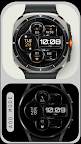
Featured Banner
Icon

Digital Watch Face - Dream 27

© Monkey's Dream

5.0 1025

Source: Google Play Store

Category: Personalization

Price: USD 1.49

Content Rating: for everyone

Requires: Android 1.0+

Released on: 2023-11-10

[apkz.com] do not include Paid App , please go to Google Play to buy it.

(The more people request, the faster it may be included)

☑ We will notify you as soon as the App is available. If you can't receive notifications, please check back often.

About this App

Modern, metal digital watch face with customizable features.
Dream 27 - Built with Watch Face Format

Enhance your smartwatch with the Dream 27 digital watch face. Designed for Wear OS, it combines sleek modernity with customizable functionality. Featuring a dark, metallic background with hints of orange and bronze, you can personalize the colors to match your style.

Installation Guide: https://www.monkeysdream.com/install-watch-face-wear-os

Key Features:
- Day and date
- Changeable colors
- Time format 12/24h
- x2 App custom shortcuts for quick access
- x2 Customizable complications
- Heart rate monitor
- Changeable colors
- AOD mode

Customization
- Simply touch and hold the display, then tap on the "Customize" button.

Compatible with all Wear OS devices API 33+ including Google Pixel Watch, Samsung Galaxy Watch7, 6, 5 and more.
Not Suitable for Rectangular Watches

Note
Upon first use, ensure to accept the permissions prompt for accurate heart-rate data.

Support
- Need help? Reach out at info@monkeysdream.com

Keep in touch with our newest creations
- Newsletter: https://monkeysdream.com/newsletter

- Website: https://monkeysdream.com

- Instagram: https://www.instagram.com/monkeysdreamofficial

Screenshots

I'm not a robot

In order to block spam bots, we push you a notification with the following code. Please click on the notification to complete the verification.


Notifications may be slightly delayed, please wait a moment.

Or if your device is unable to receive notifications, you can also send us an email.

Tips:

Please allow [apkz.com] to show notifications. We will notify you as soon as the App is ready.

Um, Seems that the notification is not available.
Would you like to send requests and receive updates via email?

Tips:

After the download is successful, please use [APKZ App] to install it.


Unable to determine whether the file was saved successfully, please confirm it yourself before installing.

Tips:

Your browser is out of date and some features may not work properly, please change or upgrade your browser.


For a better user experience, it is recommended to use Google Chrome or Edge.

Tips:

If the download cannot be completed, please open this page in your browser.


For a better user experience, it is recommended to use Google Chrome or Edge.

Tips:

This App can only be installed on Android devices.