About this App
Futuristic digital watch face with color themes and smart customization.
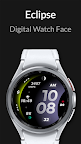
Eclipse – Digital Watch Face for Wear OS by Active Design
Experience the perfect fusion of futuristic style and everyday functionality with Eclipse. Its bold curved layout and glowing gradient accents create a striking visual experience while keeping essential information clear and accessible throughout your day.
KEY FEATURES
• Unique curved digital design with a futuristic, space-inspired look
• Glowing gradient accents optimized for AMOLED displays
• Clean, modern interface built for fast readability
• Optimized for Galaxy Watch, Pixel Watch, and all Wear OS devices
• Steps counter*
• Heart rate monitoring*
• Battery indicator
• Date with AM/PM and seconds display
• Automatic 12h / 24h time format
• Multiple gradient color combinations
• 2x custom app shortcuts for fast access
• 1x custom complication for personalized data
• Battery-optimized Always-On Display (AOD) mode
• Clear, simplified AOD layout for easy viewing
• Lightweight, smooth, and battery-efficient performance
• Ideal for users who enjoy futuristic, glowing, and minimalist watch faces
HOW TO USE
1. Install Eclipse from Google Play.
2. Ensure your smartwatch is running Wear OS 5 or later.
3. Touch and hold your current watch face, then scroll and select Eclipse by Active Design.
NOTE
• Health data (steps, heart rate, etc.) is provided by your watch sensors and system services.*
• Grant all required permissions for full functionality.
ABOUT ACTIVE DESIGN
Active Design creates premium digital, analog, and hybrid watch faces with a focus on clarity, customization, and modern aesthetics. Discover more by searching "Active Design Watch Face" on Google Play.
Activate Eclipse today and bring a futuristic glow to your wrist.