

You might like:


About this App
Wear OS watch face built with Watch Face Studio powered by Samsung.
Evolved from the AE MUBARAK Arabic, an Illuminator version health activity watch face. Made for enthusiast of Arabic calligraphy clock format, and in compliment to the month of Ramadan.
FEATURES
• Heartrate count
• Steps count
• Distance count (Km)
• Battery status count (%)
• Current temperature count (C/F)
• Day and Date
• 12H / 24H Digital Clock
• Five Shortcuts
• Ambient Mode
PRESET SHORTCUTS
• Calendar (events)
• Alarm
• Message
• Heartrate measure
• Show/Hide activity data
ABOUT THE APP
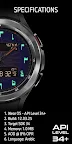
This is Wear OS watch face application (app), built with Watch Face Studio powered by Samsung. Made for watches with SDK version 34 (Android API Level 34+). May not work on some watches. As such this app will not be discoverable via some 13,840 Android devices (phones). If your phone prompts "This phone isn't compatible with this app", simply ignore and download anyway. Give it a moment and check your watch to open the app.
Alternatively, you may browse and download from the web browser on your personal computer (PC).
Thank you for visiting Alithir Elements (Malaysia).



![AE ATLANTIS [PERPETUAL] 's icon](https://img.apkz.com/gpi/y7yz6W1WoOtw8YpNpIgxG0H6DzyoQBqm4kReJpfGwTOVtWCRWJ7XumPzHS0UF_1I7r_wAGTT_3M5Xu9cH199lg?w=96)


![AE MOTORRAD [NEXT] 's icon](https://img.apkz.com/gpi/bGCGbqcn27ekjYu8IPvoh8poL1O12q80hJZbQNnjzhdGH2FyLuNhjXVvmvMfMN-vzfvB8Hj8BH5qjG8zcr7nmg?w=96)

