You might like:


About this App
Digitally fill and sign your docs, forms, PDFs, contracts, agreements, NDAs
Need to sign a document or PDF online? eZy sign & fill documents makes it easy to do both without any hassle.
Take control of your paperwork by uploading diverse document types and filling them with signatures, initials, dates, emails, images, or any text be it addresses, phone numbers, and more.
eZy Sign & fill documents handles docs data filling and document management. It accommodates a variety of document types, including NDAs, agreements, endorsements, permissions, and legal documents. Its versatile functionality extends to common business forms like sales contracts, financial agreements, rental agreements, property contracts, waivers, employment contracts, job offers, and work orders, making it ideal for efficient document management.
Fill Documents:
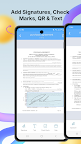
With eZy Sign, document editing becomes a breeze. Whether you need to add a signature, text, date, time, image, or QR code, our app offers a comprehensive set of tools for easy customization. Its versatility ensures that you can modify and enhance your PDFs, contracts, and documents according to your specific needs, making document editing an intuitive and efficient process.
Prepare & Send to Sign:
eZy Sign & fill documents offers a secure solution for both in-person and remote document signing. Prepare agreements, forms by placing tags that clearly guides receipients exactly where to sign. To send a document for digital signature, select “Send Now” Upload your files, place signature fields, text boxes, date or multiline fields as required. Enter the recipient’s details and securely send the document via email for a smooth, professional signing process.
Real Time Tracking:
eZy Sign & fill documents lets you monitor documents shared for signing with a clear, visual progress bar. Instantly check and stay organized with a detailed audit trail record status of each signer and keep track of signature tasks with ease.
Multilingual Support:
eZy Sign understands the importance of regional preferences. With multilingual support, users can navigate and use the app in their preferred language. This ensures a user-friendly experience to individual language preferences, making eZy Sign a versatile and accessible solution for docs e-signing & scanning. This app supports multiple languages including Dutch, German, Korean, Italian & more.
Import and Export:
With eZy Sign, enjoy simple and efficient document sharing. This feature ensures that you can easily import documents from various sources and export them to share or archive as needed. The app's compatibility with different importing and exporting options ensures easy access and collaboration across various systems.
- DropBox
- Google Drive
- OneDrive
- Files
History:
Keeping users informed and in control, eZy Sign incorporates a detailed history feature. You can keep track of your document activities with eZy Sign's detailed history feature. View past signatures, and access records of contracts, agreements, and PDFs interactions.
eZy sign & fill documents is all about making PDFs filling and scanning simple, secure, and stress-free. So go paperless—your way, the easy way!
Your input is valuable in shaping the future of our app. Submit your questions or feedback to: Support+ezysign@whizpool.com