You might like:


About this App
WiFi Router & WiFi Test: Detect Who use my WiFi and Protect your WiFi Security.
WiFi Thief Detector - Detect Who Use My WiFi is Powerful WiFi Protector and WiFi blocker to Detect Who use my WiFi and Protect my wifi security and internet security.
Do you know if someone is stealing my wifi network speed?
Do you know Who Use My WiFi and connected to my wifi and wireless network without your permission?
Do you know if neighbors may have access to your personal data?
Do you know if someone are stealing my wifi when your connection is slow, and who is on My WiFi download something?
The app(Detect Who Use My WiFi) can easily scan my wifi and see how many people or devices connected to your wifi router such as tplink/tp-link router, dlink router, netgear router or huawei router etc.
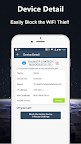
It is a simple network scanner, ip scanner and wifi scanner that allows you to detect who is on my wifi and you can block the thief in router settings from my wifi router. Using WiFi Detector(Who is using my WiFi), in seconds you know how many and which devices is connected to your wifi router with IP, MAC ID and vendor listing.
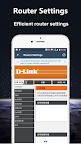
The app always find all connected devices on my wifi router and Check who is using my wifi! The Detect Who Use My WiFi app helps you access wifi router page of many Router modems(192.168.1.1 or 192.168.0.1 etc.). You can easily access your admin page and make changes to your router settings.
WiFi Thief Detector: Who is on my WiFi provides access to the most popular wifi router. So, if your wireless network is on a limited plan and you believe someone is sending and receiving data, install this WiFi monitor & Internet Security app for free and look for the suspicious devices connected to your WiFi.