You might like:


About this App
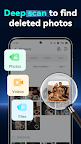
Photo recovery made easy — recover deleted photos, files & messages in seconds.
Dr.Fone provides a comprehensive solution for all your phone management needs, including deleted data recovery, photo recovery, phone data transfer (including WhatsApp data transfer), photo transfer, privacy space, unlock device, AI image enhancement, and more.
🔓Device Unlock
●Dr.Fone - unlock screen app- can remove device lock with pattern, PIN, password and fingerprint, simple click-through operations to bypass the Android lock screen. You can also use this unlocking app to remove google frp passcode. Besides Samsung and LG phones, this device unlock app also supports most mainstream Android models.
♻️ Deleted Data Recovery
●Dr.Fone's deleted photo recovery solution helps you quickly recover recently deleted photos, messages, videos, files, contacts, and audio with just one click.
●Recovering data from the phone’s recycle bin is also a breeze with Dr.Fone.
●If you accidentally delete information in social apps or other apps, don't worry—Dr.Fone can help you restore it.
🔧System Repair
●Dr.Fone - System Repair allows you to resolve common Android problems like black screens, boot loops, bricked devices, and more. What sets Dr.Fone apart is its simplicity, enabling anyone to fix Android issues effortlessly, even without technical skills.
📲Data Transfer
●Use Dr.Fone to transfer pictures, videos, apps, music, contacts, and files to another mobile phone with just one click.
●Contact transfer, photo transfer, music transfer, file transfer, and other data transfers are all supported.
●Wireless Transfer- transfer large files (up to 20GB) between mobile phones and between mobile phones and computers without consuming mobile data.
💬WhatsApp Transfer
●Supports the transfer of WhatsApp and WhatsApp Business data from Android to iOS or from iOS to Android.
🔐Privacy Space
●Dr.Fone securely hides and encrypts photos and videos that you don't want others to see. Your data privacy and file safety are perfectly protected by Dr.Fone.
📷AI Photo Enhancer & Restore Old Photos
●Image quality is automatically enhanced by AI. No more giving up on a nice picture because of poor image quality. You can also restore old photos with our AI picture enhancer.
🛡️Data Security
●We value your privacy as much as you do. Your data is encrypted from beginning to end, ensuring that no sensitive information is at risk. With Dr.Fone, you no longer need to worry about data recovery and transfer from your mobile device.
Dr.Fone can help you:
Recover deleted data from Android phones, including photos, videos, audio, and files.
Recover WhatsApp messages deleted by the sender and retrieve missing chats, photos, videos, and audio.
Transfer phone data between phones, regardless of iOS or Android OS.
Save your personal photos and videos in a privacy space.
Contact: customer_service@wondershare.com
Dr.Fone is a trusted software provider specializing in delivering the best customer experience for recovering lost or forgotten data from various devices. The Dr.Fone app is specifically tailored for recovering lost data from Android phones, such as contacts, photos, notifications and messages from other apps, and videos. Additionally, you can use the Dr.Fone app to enhance blurry pictures with AI!