Featured Banner
Icon

Play The Page Product Showcase

© Yellow Dot

193

Source: Google Play Store

Category: Books and Reference

Price: Free

Content Rating: for everyone

Requires: Android 6.0+

Released on: 2019-10-06

This App is not yet included in [apkz.com]. You can click the button below to request.

(The more people request, the faster it may be included)

☑ We will notify you as soon as the App is available. If you can't receive notifications, please check back often.

About this App

What if your books could tell more than you can print?
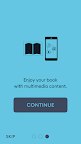
Play the Page app uses the phone's camera to recognize a book's page and play dedicated multimedia: audio recording, film, on-screen text, slideshow, or url.

Think of Play the Page as a QR code scanner, but without the need of having actual QR codes printed on any of the pages. This allows book publishers to seamlessly extend their readers' book experience, with minimum investment and effort.

The app was designed by a book publisher for book publishers. It is a book-cantered solution where any extra digital content is delivered while reading or studying with a printed book. It is perfect for activity books, study scripts, children’s books and language courses. Delivering extra content to books has never been that fast and straightforward.


Since Play the Page bases on readers’ traditional interaction with books and it does not require any form of specific visual identification on books’ pages - it can be applied to any book, even those already in stock. It liberates the books’ design and structure from multimedia requirements and yet makes your digital content extremely accessible.

Super easy to use - designed for and tested with 2-year-olds.

Screenshots

I'm not a robot

In order to block spam bots, we push you a notification with the following code. Please click on the notification to complete the verification.


Notifications may be slightly delayed, please wait a moment.

Or if your device is unable to receive notifications, you can also send us an email.

Tips:

Please allow [apkz.com] to show notifications. We will notify you as soon as the App is ready.

Um, Seems that the notification is not available.
Would you like to send requests and receive updates via email?

Tips:

After the download is successful, please use [APKZ App] to install it.


Unable to determine whether the file was saved successfully, please confirm it yourself before installing.

Tips:

Your browser is out of date and some features may not work properly, please change or upgrade your browser.


For a better user experience, it is recommended to use Google Chrome or Edge.

Tips:

If the download cannot be completed, please open this page in your browser.


For a better user experience, it is recommended to use Google Chrome or Edge.

Tips:

This App can only be installed on Android devices.