You might like:


About this App
Inventory management software to manage your warehouse and fulfil orders.
Zoho Inventory is a powerful and easy-to-use inventory and order management app designed for businesses of all sizes to meet their end-to-end inventory management needs. Keep track of your inventory, manage your orders, track your shipments, and much more with the mobile inventory app.
Here's a complete walkthrough of how Zoho Inventory is the best fit for handling your inventory operations:
Dashboard - Get a complete overview of your inventory management, right from sales to item quantity in a single place.
Inventory management - Create and manage your items along with their images. You can categorize items into groups and keep track of your bundles right from the inventory app.
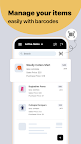
Barcode scanning - Simplify your order processing using the built-in barcode scanning option. Use your phone camera or other external barcode scanners to scan item barcodes with this inventory tracker.
Inventory tracking - Add serial or batch tracking numbers to track the movement of items and expiration date.
Order management - Create sales and purchase orders quickly by just selecting the contacts and the right items.
Multi-channel sales - Zoho Inventory centralizes your online sales by updating your stock levels automatically. With popular integrations across sales channels like Amazon, Shopify, eBay, Etsy, sell more with less effort.
Amazon FBA and Global Selling - Grow your business globally by transcending boundaries with Amazon Global Selling and eliminate the need for warehouses with Amazon FBA, right from Zoho Inventory.
Online payments - Keep a record of your payments with invoices and bills as Zoho Inventory enables you to record online payments with payment gateways like Stripe, PayPal, Braintree, etc.
Order fulfilment - Create package slips, shipping labels, and send real-time shipment updates to your customers. Simplify your shipping needs by integrating with popular shipping carriers like UPS, USPS, and many more.
Warehouse management - Create and manage different warehouses or stores in the same app without worrying about losing track of the stock count. Restrict warehouse information to users across warehouses and branches using appropriate user restrictions.
Accounting - Manage your sales tax with ease and keep tabs on your accounting simultaneously as Zoho Inventory integrates with Zoho Books and QuickBooks Online to ease your financial needs.
Reports - Generate reports to keep an eye on your business and inventory performance, and revisit your growth strategies.
We are here to help business owners make online inventory management easy and effortless. With freemium plans to suit businesses of all sizes, Zoho Inventory is flexible to work with your needs. If you have any questions or suggestions related to our mobile or web app, reach out to us at support@zohoinventory.com.
More on Zoho Inventory:
Web: https://www.zoho.com/us/inventory/
Help doc link: https://www.zoho.com/us/inventory/help/getting-started/sign-up.html
Demo Account: https://www.zoho.com/us/inventory/inventory-software-demo/