Featured Banner
Icon

EdgeBlock: Block screen edges

© flar2

3.9 42556

Source: Google Play Store

Category: Tools

Price: Free

Content Rating: for everyone

Requires: Android 6.0+

Released on: 2020-04-16

This App is not yet included in [apkz.com]. You can click the button below to request.

(The more people request, the faster it may be included)

☑ We will notify you as soon as the App is available. If you can't receive notifications, please check back often.

About this App

Prevent accidental touches on phones with curved screen edges or thin bezels
EdgeBlock protects the edge of your screen from accidental touches. Great for phones with curved screen edges, thin bezels or infinity displays.

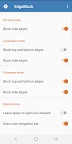
The touch-protected area is adjustable and can be made invisible or any color you like! Adjust the color, opacity and width of the blocked area and specify which edges should be blocked. You can set which edges are blocked separately for portrait, landscape and fullscreen modes.

There are many ways to control EdgeBlock. You can temporarily disable (pause) blocking by tapping the notification. You can turn EdgeBlock on or off with a Quick Settings tile. And finally, you pause/resume or start/stop the service using public intents compatible with automation apps such as Tasker (be sure to specify the package name, flar2.edgeblock)

Public Intents:
flar2.edgeblock.PAUSE_RESUME_SERVICE
flar2.edgeblock.START_STOP_SERVICE

EdgeBlock has no ads and does not collect any of your data. EdgeBlock is lightweight and does not require invasive permissions. It only needs permission to draw or display over other apps.

The free version is fully functional. The only option that requires payment is "Apply on boot." If you want EdgeBlock to automatically start at boot, then you must buy EdgeBlock Pro. If you do not wish to pay, you can start it manually at each boot and still enjoy all other features, ad-free.

Screenshots

I'm not a robot

In order to block spam bots, we push you a notification with the following code. Please click on the notification to complete the verification.


Notifications may be slightly delayed, please wait a moment.

Or if your device is unable to receive notifications, you can also send us an email.

Tips:

Please allow [apkz.com] to show notifications. We will notify you as soon as the App is ready.

Um, Seems that the notification is not available.
Would you like to send requests and receive updates via email?

Tips:

After the download is successful, please use [APKZ App] to install it.


Unable to determine whether the file was saved successfully, please confirm it yourself before installing.

Tips:

Your browser is out of date and some features may not work properly, please change or upgrade your browser.


For a better user experience, it is recommended to use Google Chrome or Edge.

Tips:

If the download cannot be completed, please open this page in your browser.


For a better user experience, it is recommended to use Google Chrome or Edge.

Tips:

This App can only be installed on Android devices.