
You might like:


About this App
Mobile Connect To TV - HDMI USB & WiFi Screen Mirroring
📲📺USB Screen Cast Phone to TV app: Connect, Cast, and Share Seamlessly📲📺
Experience the fastest screen mirroring with USB Screen Cast, the perfect app to cast to TV, mirror your device, and enjoy your favorite content on the big screen.
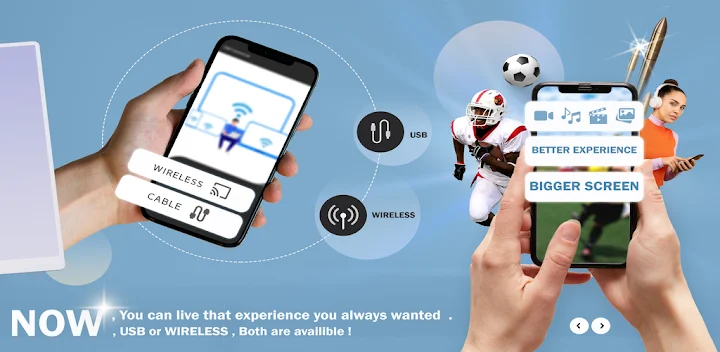
Whether you prefer wireless connectivity or the stability of a TV USB connector, this app ensures smooth, reliable performance for all your screen sharing needs.
USB Screen Cast - Phonte to TV Key Features
🌐🔗Wireless Screen Casting: Easily cast to TV via WiFi for a clutter-free and hassle-free experience.
🌐🔗USB Screen Mirroring: Use the TV USB connector for stable, high-quality USB screen mirroring when wireless isn’t available.
🌐🔗Mirror Screen to TV: Enjoy seamless functionality that lets you mirror screen to TV with just a few taps.
🌐🔗Screen Sharing on Demand: Share photos, videos, presentations, and more through easy screen sharing.
🌐🔗USB Screen Sharer: Use our reliable USB screen sharer for direct and secure connections without lag.
How USB Screen Cast - Phonte to TV app Works:
🔄Connect Your Devices:
Connect your phone and TV to the same WiFi network for wireless mirroring. For wired options, use a compatible TV USB connector.
🔄Launch the App:
Open the app, then choose between wireless screen cast or USB screen mirroring based on your preference.
🔄Select Your TV:
The app detects compatible devices. Tap your TV to start mirroring.
🔄Enjoy the Big Screen:
Use the app to mirror screen to TV, whether you're streaming movies, showcasing photos, or delivering presentations.
Choose USB Screen Cast - Phonte to TV!
Versatile Connectivity Options: Whether you’re using WiFi to cast to TV or relying on a TV USB connector, our app adapts to your needs.
Seamless Performance: Say goodbye to lag with our high-speed USB screen mirroring and wireless casting.
Enhanced Productivity: Perfect for meetings or classrooms, the app lets you share screen easily to display documents and presentations.
Entertainment Amplified: Turn any gathering into a cinematic experience by effortlessly screen mirroring your favorite media.
Additional Screen Cast and MirroringFeatures
USB Screen Sharer: Prefer a wired connection? The app’s USB screen share feature ensures stable and uninterrupted mirroring.
Reliable Screen Sharing: Enjoy lag-free screen sharing for gaming, streaming, and more.
Mirror Screen to TV Instantly: With a simple setup process, you can mirror screen to TV and elevate your viewing experience.
Customizable Casting: Adjust the resolution and optimize settings for every screen cast to suit your preferences.
User Reviews:
“This app makes it so easy to mirror screen to TV. I love the stable connection and crystal-clear quality!”
“The combination of USB screen mirroring and wireless casting options makes this app super versatile.”
“I rely on the TV USB connector feature for a lag-free experience when streaming my work presentations.”
Get Started Now!
Don’t wait to unlock the full potential of your TV! Download Screen Mirroring Smart View HD today and enjoy a seamless way to cast to TV, mirror screen to TV, and enjoy your favorite content on a larger screen.


