You might like:


About this App
Instant heart rate app to monitor. Track pulse, heartbeat, bpm and cardio.
Take control over your heart health with Cardi Mate.
Knowing your vital signs is half the battle in protecting your well-being and improving your lifestyle. Think of Cardi Mate as your personal healthcare diary for your heart and body. It’s instant, in your pocket, and can help you monitor your heart health wherever you are. In the app, you can record your vital signs, including heart beat, pulse, and blood pressure.
HOW TO USE CARDI MATE
- Measure your pulse with the monitor pulse app and then store it in the heart rate monitor app so it’s all available in one easy-to-access place.
- Store data, monitor changes and use the stats to manage your personal well-being and check your stats to share with your physician, keeping track of your health progress as you go.
- Don’t let your heart beat data go missing—track it instantly and store it all in one place.
FEATURES
– Personal statistics about your heartbeat, pulse, and health.
– Check for changes in your vitals, monitor your health, and more. Using a rate monitor app can help you track if there’s something else going on with you and your body.
– Health insights and instant tracking features.
– Potential to learn more about the world of well-being and how it applies to you and your health.
– Measure your pulse manually and store the data in this monitor pulse app.
– Create your own health diary, packed with heart rate and pulse insights.
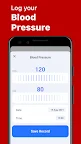
– Blood pressure maintenance and monitor app to keep track of important metrics .
FAQ ABOUT THE CARDI MATE MONITOR APP
Explore the basics about what you need to know about the Cardi Mate heart beat and health app:
- How to use the heart rate monitor app to measure your heartbeat?
Just gently cover the rear camera lens with your fingertip and stay still, then your heartbeat will be counted in a few seconds.
- How often do I use it?
To accurately track your metrics, it’s best to use the app several times a day, especially when you wake up in the morning, when you go to bed, starting and finish your workout. This way you’ll have a good idea of your overall heart rate.
- What is a normal heart rate?
A normal heart rate depends on the person, age, body size, heart condition, emotions, and whether the person is sitting or moving.
DISCLAIMER
Cardi Mate’s content is not medical advice, a diagnosis, or a treatment plan for any type of heart disease. And it should never be substituted for a treatment plan by your doctor or medical specialist. If you are experiencing any medical heart condition or have concerns, please consult your healthcare provider before commencing any program.