You might like:


About this App
The joy of playing a musical instrument for everyone
Compatibility testing for CASIO MUSIC SPACE on devices running Android 13 has identified a bug that prevents some functions from working properly when using Bluetooth MIDI.*
This bug occurs only with Android 13.
• On Google Pixel series models (excluding Pixel 4/4 XL), we have confirmed that this issue was resolved by the monthly update in March 2023.
• The update status for other smart devices varies according to manufacturer or device. Contact your manufacturer or communications service provider for information on the response status.
Please refrain from using this app on Android 13 until the issue is resolved. We apologize for any inconvenience.
This problem does not arise on devices running Android 12 or earlier or when a USB cable connection is used.
* When Wireless MIDI & Audio Adaptor (WU-BT10) is used.
Supported Models
Digital Pianos
CELVIANO
AP-S190, AP-S200, AP-265, AP-270, AP-300, AP-470, AP-S450, AP-550, AP-750
Privia
PX-765, PX-770, PX-870
PX-S1000, PX-S1100, PX-S3000, PX-S3100
PX-S5000, PX-S6000, PX-S7000
CDP
CDP-S90, CDP-S100, CDP-S105, CDP-S110, CDP-S150, CDP-S160
CDP-S350, CDP-S360
Digital Keyboards
Casiotone
CT-S1, CT-S1-76, CT-S190, CT-S195, CT-S200, CT-S300
CT-S400, CT-S410
CT-S500、CT-S1000V
LK-S245, LK-S250, LK-S450
Connecting Your Smart Device
https://web.casio.com/app/en/music_space/support/connect.html
The joy of playing a musical instrument for everyone
CASIO MUSIC SPACE is an app exclusively for Casio digital piano and keyboard users. When connected to your Casio piano or keyboard, the Casio Music Space app acts as digital musical score, a music teacher, a live performance simulator, and as an all-round app to enjoy learning and playing music. It’s for complete beginners, people taking up an instrument again, and anyone who wants to experience a new way of playing.
Features
1. Piano Roll
The piano roll makes it easy to see which notes to play even if you don’t read music. It’s a great way to have fun learning while playing.
The pitch and duration of each note is visualized in real time as the song plays, making it easy to find the correct notes of the chords or melody.
2. Score Viewer
“Musical Score + Sound” lets you see and listen to a wide range of music on your smart device.
Zoom in and out and flip through pages of sheet music in the app. You can also mark up, save and load scores, as well as listen to music while viewing scores, making it convenient to use while on the move or outside your home.
3. Music Player
Play along with Your Favorite Songs.
Songs on smart devices and songs from music streaming services are played from the instrument’s speakers by connecting the smart device to the instrument.
4. Live Concert Simulator
Turn everyday playing into an extraordinary experience. Feel the excitement of live performance at home.
The app analyzes any performance on a connected instrument or song on a smart device and automatically adds audience sounds according to the excitement of the music.
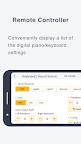
5. Remote Controller
Check and adjust the digital piano/keyboard's settings on the app while you play.
Connect a smart device to be able to make settings remotely, without the need to touch the digital piano/keyboard.
----------
★System Requirements (Information current as of January 2024)
Android 8.0 or later required.
Recommended RAM: 2 GB or more
Recommended for use on the smartphones/tablets listed below.
Operation is not guaranteed on smartphones/tablets not included in the list.
Smartphones/tablets for which operation has been confirmed will be progressively added to the list.
Note that smartphones/tablets for which operation is confirmed may still fail to display or operate correctly following updates to the smartphone/tablet software or Android OS version.
Not compatible with devices that use an x86 CPU.
[Supported smartphones/tablets]
https://support.casio.com/en/support/osdevicePage.php?cid=008003004