Featured Banner
Icon

CASIO ECR+

© CASIO COMPUTER CO., LTD.

2.2 55588

Source: Google Play Store

Category: Business

Price: Free

Content Rating: for ages 3 and up

Requires: Android 8.1+

Released on: 2019-01-30

This App is not yet included in [apkz.com]. You can click the button below to request.

(The more people request, the faster it may be included)

☑ We will notify you as soon as the App is available. If you can't receive notifications, please check back often.

About this App

Utilize your smartphone to enhance your store management with Casio ECR+!
“Casio ECR+” connects cash register and smartphone with Bluetooth (R). You can easily manage cash register settings and monitor sales.


Main contents

-Easy Initial Setup
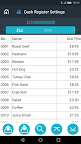
Input product name and prices through your smartphone.

-Quick Item / Price changes
Easy updates using Bluetooth, even during store hours.

-Sales Dashboard
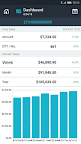
Sales Dashboard provides daily / weekly / monthly sales data.

Visit the website below for details.
http://web.casio.com/ecr/app/

Visit the web site for operation guidance videos (English only)
CASIO Bluetooth cash register operation guidance videos

• In order to use CASIO ECR+, this is all you need:

1) A Bluetooth-enabled Casio ECR model (see below for detailed model name).  
2) A smartphone with internet connection (see below for detailed specification). 
3) An email address to use for registration. 

Once the preparation and verification have been completed, place the smartphone near to the cash register and start CASIO ECR+.
Follow the prompts on the screen to continue with the setup.
________________________________

• Applicable models

SR-S500, PCR-T540, SR-S820, PCR-T540L, PCR-T560L, SR-C550, SR-S4000, PCR-T2500, SR-S920, PCR-T2500L, PCR-T2600L, SR-C4500
________________________________

• Applicable Smartphones

•  Android OS 6.0 or higher
•  Screen size 4.7 inch or bigger
•  Screen resolution 720 × 1280 or higher
________________________________
Privacy Notice
https://world.casio.com/privacy_notice/casio_ecr_plus_en/

Screenshots

I'm not a robot

In order to block spam bots, we push you a notification with the following code. Please click on the notification to complete the verification.


Notifications may be slightly delayed, please wait a moment.

Or if your device is unable to receive notifications, you can also send us an email.

Tips:

Please allow [apkz.com] to show notifications. We will notify you as soon as the App is ready.

Um, Seems that the notification is not available.
Would you like to send requests and receive updates via email?

Tips:

After the download is successful, please use [APKZ App] to install it.


Unable to determine whether the file was saved successfully, please confirm it yourself before installing.

Tips:

Your browser is out of date and some features may not work properly, please change or upgrade your browser.


For a better user experience, it is recommended to use Google Chrome or Edge.

Tips:

If the download cannot be completed, please open this page in your browser.


For a better user experience, it is recommended to use Google Chrome or Edge.

Tips:

This App can only be installed on Android devices.