You might like:


About this App
Offline english dictionary easy to use with bookmarks and useful features
Discover the meaning of English words with our free, offline English dictionary app. Powered by the authoritative English Wiktionary, our app offers quick searches and a user-friendly interface designed for both phones and tablets. No internet connection required—download once and enjoy instant access to definitions anytime, anywhere.
Features
♦ More than 594000 english definitions and large number of inflected forms
♦ You can leaf through words using your finger (swipe right and left)
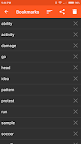
♦ Manage your bookmarks, personal notes and search history. "Organize bookmarks and notes using user defined categories. Create and edit your categories as needed.
♦ Crossword help: the symbol ? can be used in place of single unknown letter. The symbol * can be used in place of any group of letters. The fullstop symbol . can be used to mark the end of a word.
♦ Random search button (shuffle), useful to learn new words
♦ Share word definition using other apps, like gmail or whatsapp
♦ Compatible with Moon+ Reader, FBReader and other applications via share button
♦ Backup&restore configuration, personal notes and bookmarks on local memory, Google Drive, Dropbox and Box clouds (available only if you have installed these applications on your device and configured with your own account)
♦ Camera search via OCR Plugin, available only on devices with back camera. (Settings->Floating Action Button->Camera). The OCR Plugin has to be downloaded from Google Play.
Fuzzy search
♦ To search words with prefix, e.g. starting with 'moon', please write moon* and the dropdown list will show the words starting with 'moon'
♦ To search words with suffix, e.g. ending with 'moon', please write *moon. and the dropdown list will show the words ending with 'moon'
♦ To search words containing a word, e.g. 'moon', just write *moon* and the dropdown list will show the words containing 'moon'
Your settings
♦ Black and white themes with user defined text colors (press menu-->select Settings-->click on Theme)
♦ Optional Floating Action Button (FAB) supporting one of the following actions: Search, History, Favorites, Random search and Share option; Optional shake action with similar actions.
♦ Persistent Search option to get automatic keyboard at startup
♦ Text to speech options, including selection of British or American accent (press menu-->select Settings-->click on Text to Speech-->select Language)
♦ Number of items in history
♦ Customisable font size and line spacing, default screen orientation
♦ Start up option: home page, most recent word, random word or word of the day
Questions
♦ No voice output? Please follow instructions here: http://goo.gl/axXwR
Note: word pronunciation works only if voice data have been installed in your phone (Text-to-speech engine).
♦ British word pronunciation not working? Follow instructions here: https://cutt.ly/beMDCbR
♦ Question & Answers: http://goo.gl/UnU7V
♦ Keep safe your bookmarks and notes, please read: https://goo.gl/d1LCVc
♦ Information about permissions used by the application can be found here: http://goo.gl/AsqT4C
♦ Download also the other livio offline dictionaries available in Google Play for a broader and unique experience
In case Moon+ Reader does not list my dictionary: open pop-up "Customize dictionary" and select "Open dictionary directly when Long-Tap on a word"
Information for application developers:
✔ This application provides Dictionary API for 3rd party developers, please read further details: http://thesaurus.altervista.org/dictionary-android
Permissions
This application requires the following permissions:
♢ INTERNET - to retrieve the definition of unknown words
♢ WRITE_EXTERNAL_STORAGE (aka Photos/Media/Files) - to backup configuration and bookmarks