You might like:


About this App
Convert MP4 to MP3, trim & merge audio, personalize ringtones &screen recorder!
Convert videos to MP3, merge and edit audio, cut videos, trim videos, create ringtones, and change voice formats.
Make MP3s from videos, merge multiple songs, set ringtones, cut clips, and create custom ringtones & voices.
This simple Video to MP3 Converter app can convert MP4 to MP3, video to audio conversion, change formats, trim audio and video, merge audio, personalise ringtones, voice change and many more.
ASD Video to Mp3 Converter is a fast, efficient, and perfect MP3 Video Converter for Android devices. It has a built-in Video Player📽️ and Audio Player🎧 with an option for Online Games🎮.
Video to Audio Converter 🎞️🔄🎶
Convert video to audio, MP4 to MP3, or change formats of media files with ease. The files extracted are of high quality.
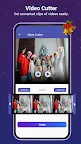
Video Cutter and Trimmer ✂️
You can cut or trim your favourite clips from any video easily. The ‘Trim Video’ option trims any format video file.
Audio Cutter and Set Ringtone
With Audio Cutter, you can get your favourite part of the audio or cut extras from an audio file. With the Ringtone Maker, you can personalize ringtones.
Screen Recorder and Voice, Meeting Recorder
Record the screen with audio with the Recorder. You can solely record audio in high quality with the converter app.
Merge Audio and Voice Change
Video to MP3 Converter allows you to create personalized mashups with the Merge Audio. You can also change the audio voice to that of an alien👽, baby👶, robot🤖, and more with the Voice Change.
Media Format Converter 🔄
You can convert any format file to other common file formats with Video to MP3 Converter for free.
Media Library 📂
With Output Folder, organizing and managing your converted or trimmed files becomes easy. You can browse your files based on Video to Audio, Video Cutter, Audio Cutter, Audio Merger, Audio Recorder, Audio Format, Video Format, and Voice Changer.
MP3 Video Converter
You can convert videos to MP3 files and set them as your ringtone with this easy-to-use MP3 Video Converter.
Online Games🎮
Entertain yourselves with different games available in one app. You can play Brain games🧠, Arcade Games, Puzzle Games🧩 and more.
ASD Video to Audio Converter is the best converter for Android. It features a built-in Video Player📽️, Audio Player🎧 and Online Games🎮.
We hope you enjoy converting MP4 to MP3, video to audio, trimming video and audio and other interesting functions of this Video to Audio Converter app. We sincerely hope you will love the ASD Video to MP3 converter app, and we would love to hear your valuable feedback at feedback@rareprob.com.