Featured Banner
Icon

Stealth Pic

© nibli

58

Source: Google Play Store

Category: Lifestyle

Price: USD 0.99

Content Rating: for everyone

Requires: Android 1.0+

Released on: 2025-02-08

[apkz.com] do not include Paid App , please go to Google Play to buy it.

(The more people request, the faster it may be included)

☑ We will notify you as soon as the App is available. If you can't receive notifications, please check back often.

About this App

Appears only when you look, saves power when you don’t.

Appears only when you look, saves power when you don’t.


Supports [PHOTO_IMAGE] complication slots.


WARNING: Some devices do not natively support the Photo Image complication type, meaning you will not be able to upload your own images. If this is the case, I recommend Photo Complication for Wear OS from amoledwatchfaces, as it supports image slideshows (see bottom of description if link does not work).

Visit the Stealth Pic Custom Background Guide to learn more about setting a custom background.

Description


Stealth Pic is a watch face that shows your background only when you actively view your watch face. This watch face is intended to be used with the Always On Display feature. When Always On Display is enabled, your background and other selected elements will be hidden when you're not viewing the watch, saving battery by reducing the number of lit pixels.

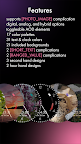
Features


• Supports [PHOTO_IMAGE] complication
• Allows for pure analog, pure digital, or hybrid (default)
• Toggle specific elements to be hidden in Always On Display (AOD) mode
• 17 color palettes
• 31 text & clock colors
• 21 included preset backgrounds
• 2 short text complications
• 2 range complications
• 3 second hand designs
• 2 hour hand designs

Photo Complication for Wear OS:
https://play.google.com/store/apps/details?id=com.weartools.photocomplication
Stealth Pic Guide:
https://niblicat.github.io/StealthPicGuide

Screenshots

I'm not a robot

In order to block spam bots, we push you a notification with the following code. Please click on the notification to complete the verification.


Notifications may be slightly delayed, please wait a moment.

Or if your device is unable to receive notifications, you can also send us an email.

Tips:

Please allow [apkz.com] to show notifications. We will notify you as soon as the App is ready.

Um, Seems that the notification is not available.
Would you like to send requests and receive updates via email?

Tips:

After the download is successful, please use [APKZ App] to install it.


Unable to determine whether the file was saved successfully, please confirm it yourself before installing.

Tips:

Your browser is out of date and some features may not work properly, please change or upgrade your browser.


For a better user experience, it is recommended to use Google Chrome or Edge.

Tips:

If the download cannot be completed, please open this page in your browser.


For a better user experience, it is recommended to use Google Chrome or Edge.

Tips:

This App can only be installed on Android devices.