Featured Banner
Icon

LocalSend: Transfer Files

© Tien Do Nam

4.3 5305520

Source: Google Play Store

Category: Tools

Price: Free

Content Rating: for everyone

Requires: Android 5.0+

Released on: 2022-12-28

Last Updated: 2026-01-01

(The more people request, the faster it may be included)

☑ We will notify you as soon as the App is available. If you can't receive notifications, please check back often.

About this App

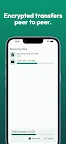
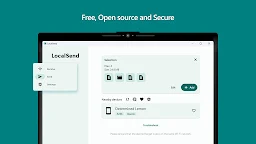
Send files to nearby devices - open source, cross platform
LocalSend is a secure, offline-first file transfer solution, purpose-built for professionals, teams, and organizations operating in high-trust, security-critical environments.
With over 8 million downloads globally, LocalSend enables fast, encrypted peer-to-peer file sharing — without the cloud, without internet access, and without surveillance.

✅ Fully offline operation – transfer files over local Wi-Fi or LAN, no internet required
✅ End-to-end TLS encryption – full confidentiality and integrity of your data
✅ Cross-platform compatibility – available on iOS, Android, Windows, macOS, and Linux
✅ No tracking, no data collection, no ads
✅ Open-source & fully transparent – trusted worldwide in defense, critical infrastructure, and secure enterprise environments

Designed for use cases where control, privacy, and operational integrity are non-negotiable.
Ideal for deployment in corporate networks, mobile field units, temporary infrastructures, and air-gapped or connectivity-constrained environments.

Screenshots

I'm not a robot

In order to block spam bots, we push you a notification with the following code. Please click on the notification to complete the verification.


Notifications may be slightly delayed, please wait a moment.

Or if your device is unable to receive notifications, you can also send us an email.

Tips:

Please allow [apkz.com] to show notifications. We will notify you as soon as the App is ready.

Um, Seems that the notification is not available.
Would you like to send requests and receive updates via email?

Tips:

After the download is successful, please use [APKZ App] to install it.


Unable to determine whether the file was saved successfully, please confirm it yourself before installing.

Tips:

Your browser is out of date and some features may not work properly, please change or upgrade your browser.


For a better user experience, it is recommended to use Google Chrome or Edge.

Tips:

If the download cannot be completed, please open this page in your browser.


For a better user experience, it is recommended to use Google Chrome or Edge.

Tips:

This App can only be installed on Android devices.