
You might like:


About this App
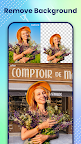
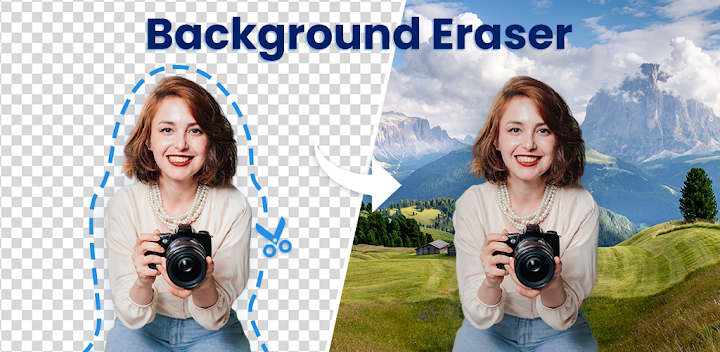
Background Eraser - Remove Background can automatically erase and cut background
Background Eraser - Background Remover is a professional AI photo cutting & photo editing tool, with one-click to automatically cut out pictures, remove background and make high-quality PNG images with transparent backgrounds. With this productive background remover, you can use AI tools to erase background 100% automatically without any skills required. Just import the picture and it will auto-detect the background edge and remove it with a single touch, easy to use. 🎉🎊
Background Eraser also can simplify your life and take your photos to the next level. You don’t have to worry about spending too much time manually cutting out people/animals/objects from the photo, especially where the edges are complicated such as hair, fingers, etc. This AI Background Eraser & Photo Editor can meet all your photo editing needs. 🎈🚀
🎁 What you can get with Background Eraser:
- Make transparent background PNG image
- White background JPG image
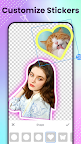
- Add stickers & text to make memos
- Change ID photo background color
- Creative photo collage & poster
- Product marketing material for e-commerce
- Banner, Poster, Slide, YouTube thumbnail, Graphic…
💥 Precise & Smart AI Background Eraser
• Cutout photos through AI tech in pixel-level accurate
• One tap to remove & change the photo background in a second
• Auto identifies pictures with people, animals, objects, plants…
• Optimizes the edges of cropped photo for a smoother texture
📣 Efficient & Comprehensive Manual Mode
• Freely erase & repair the cutout photo in anyways
• Outline the image to be cut into any shapes
• Lasso tool to recognize similar regions that you selected
• Cut the photo into a square, rectangle, circle, rhombus, roundrect…
🏮 Powerful & Creative Photo Edit Mode
• Switching between different layers, easier to adjust the order
• Massive backgrounds & stickers & typefaces for memo making
• Outline the cutout photo with various line types and colors
• Support adding & cutting multiple photos to create a collage
👉 More Features for Background Eraser - BG Remover
☆ Standard edit tools: curve tone, color balance, double exposure, doodle, mosaic…
☆ Adjust brightness, contrast, highlights, warmth, shadows, sharpness, exposure etc.
☆ Color, degree, blur, and position of shadow make the photo looks real
☆ 100+ unique backgrounds to replace for a personal touch
☆ 200+ unique photo effects for making unique photo collages
☆ 700+ templates, including the theme of Festivals, Regions, Crowds, Season…
☆ 1000+ grids, backgrounds, frames, fonts & filters to choose from
☆ Multiple canvas sizes for IG, Instagram, Facebook, Pinterest, Twitter…
☆ Collage photos by Layouts, Template, Freestyle, Pic-Sew
☆ Support to adjust the opacity degree of cutout photo
☆ No watermark, making your photo clean and artistic
☆ Save in high-quality PNG image
Background Eraser - BG Remover is a one-stop photo cutout & edit & collage tool for everyone, no matter whether you have the skill or not. It is the ultimate photo editor, graphic designer, and poster maker you will ever use. Download Background Eraser now and start creating astonishing masterpieces from the palm of your hand! 💯🔥