你可能喜歡:


關於這個應用
Photo editor & BG eraser – Remove background, auto cutout & make PNG images.
Auto cut out pics, simple and pixel-level accurate. Trying hard to be your go-to background eraser photo editor!
This is an easy-to-use and intuitive background eraser & photo editor that helps you automatically cut out pictures with AI tools, remove background and make no watermark transparent background PNG pictures in high quality.
AI background generator: create captivating visuals by generating a unique AI background specifically for your photo! Describe with a few words, and let AI craft a tailored backdrop that fits the subject of your photo.
With Background Eraser Photo Editor, your life will be easier. No professional editing skills? No worries! No complex photo processing skill needed, you can get an accurate stamp in one tap and use it for stress-free design and editing:
✅ Transparent background PNG pictures
✅ YouTube thumbnail
✅ Sticker for WhatsApp
✅ Gacha Life
✅ Meme maker
✅ JPEG photo with white background
✅ Change background for ID photo
✅ Nature photo editor
🔥🔥 Join the AI Avatar trend now - upload a selfie and transform it into mind-blowing avatars that reflect your alter egos!
FULL FEATURES WITH AMAZING TOOLS
🌟 Precise Mode
- Get a pixel-level accurate cutout photo by the powerful AI tech
- It gives you studio-quality photos with sharper edges and zero pixel damage
💯 Quick AI Mode
- It recognizes pictures well with people, animals, plants, anime…
- Just select the photo, the AI tool will automatically cut out the object in 1 click
- With our refined pixel mapping, even complex shapes like hair and fur come out clean
- No need to erase complicate backgrounds awkwardly bit by bit with fingers
✂️ Manual Mode
- Quickly outline the object on your photo you want to cut
- Erase and repair the cutout picture easily
📐 Shape Mode
- Crop pictures into a square, rectangle, heart, circle and many shapes as you like
- It is very suitable for make your own stickers or meme
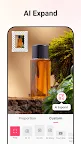
AI Expand
Effortlessly expand your photos in any direction with AI technology, easily adjusting the aspect ratio while seamlessly preserving the original image's quality.
Background remover
This is an easy-to-use background remover app that helps you to remove backgrounds from photos and make transparent background PNG pictures in one second. Its advanced AI cutout tool ensures no pixel loss and keeps edge quality crystal-clear. Zero cost!
Background photo editor
Want to change background for your photo? Try this png maker to remove background from photos at first then you can change the background you like for it.
Cutout photo editor
Use this advanced cutout photo editor, erase background perfectly with this png maker. It is also a background photo editor and nature photo editor designed for you to make artworks easily and quickly.
About permissions:
- To remove background from photos and make transparent background PNG pictures, Background Eraser Photo Editor needs the “Storage” permission to access photos and files on your device.
- To capture photos and erase background, Background Eraser Photo Editor needs the “Camera” permission to take pictures.
Background Eraser Photo Editor deserves your try right away — a high-converting and convenient PNG maker & background remover that erases backgrounds and creates transparent background PNG pictures for you. If you have any problems or suggestions, feel free to let us know. Email: bgeraser@inshot.com