About this App
Andacious - Runs Audacity on Android
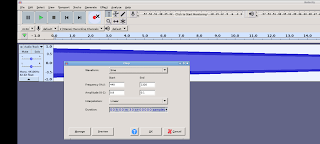
Andacious allows you to run Audacity® on an Android device.
This is a powerful and feature rich audio recorder, editor and mixer.
What is Andacious?
Andacious is not Audacity itself and is not a built or maintained by the Audacity team or the Muse Group. Instead, it is a compatibility layer that sets up a Linux desktop Audacity build, launches it, renders it and provides a way to interact with it.
What features does running Andacious provide?
In short, everything you can normally do with Audacity including:
* Record live with a microphone or mixer. Or digitize imported recordings.
* Edit your tracks fast with intuitive tools, including cutting, pasting and smooth volume mixing.
* Perfect your audio with more advanced effects:
* Reduce background static with noise reduction tools.
* Adjust tempo without altering pitch or vice versa.
* Alter frequencies with equalizers, high and low-pass filters and more.
* Reduce or isolate vocals in stereo tracks.
* Add impact with distortion, echo, reverb and more effects.
* Import, export and convert files in every popular audio format, including mp3, m4a, AIFF, FLAC, WAV and more. You can even combine clips from multiple formats into the same project.
* Take your editing to the next level with an extensive selection of third-party effects plugins, designed by the passionate Audacity, open-source community.
* Visualize and analyze your audio clips in Spectrogram view.
* Etc
Description provided via the CC-by 4.0 https://creativecommons.org/licenses/by/4.0/
You can read more details here: https://www.audacityteam.org/FAQ/
How to Use Andacious?
Use it just like normal. But here are some specifics to the app.
* Tap with one figure to click.
* Tap with two fingers to right click
* Pinch to zoom.
* Slide one finger to pan.
* Slide two fingers to scroll.
* If you want to bring up a keyboard, tap on the screen to get a set of icons to appear and then click the keyboard icon.
Other tidbits:
Andacious uses standalone libraries built from the bVNC project and the Termux project which are provided via the GPL and hosted here:
https://github.com/CypherpunkArmory/