You might like:


About this App
deVStudio - Runs Visual Studio Code on Android
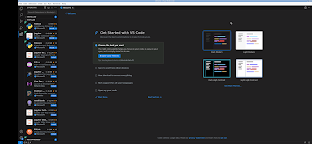
This is really runs Visual Studio Code ( vscode ) on your device. It is full featured and professionally supported. This runs the Linux desktop edition of Visual Studio Code specifically.
Note: This is currently a very minimal install. So you have to add some packages and extensions based on your need.
For example if you wanted to do C++ development you would do the following:
1) in the termal: sudo apt install build-essential gdb
2) in vscode: install the C++ extension
3) have fun
Versions already setup for certain development flows will be added in the future.
About Visual Studio Code:
Visual Studio Code, also commonly referred to as VS Code, is a source-code editor made by Microsoft. Features include support for debugging, syntax highlighting, intelligent code completion, snippets, code refactoring, and embedded Git. Users can change the theme, keyboard shortcuts, preferences, and install extensions that add functionality.
You can read more about it here: https://code.visualstudio.com/
How to use this deVStudio Android app:
When using the graphical interface, use vscode just like normal. But here are some specifics to the Android interface.
* Tap with one figure to left click.
* Move mouse by sliding around one finger.
* Pinch to zoom.
* Press and hold and then slide one finger to pan (useful when zoomed in).
* Slide two fingers up and down to scroll.
* If you want to bring up a keyboard, tap on the screen to get a set of icons to appear and then click the keyboard icon.
* If you want to do the equivalent to a right click, tap with two fingers.
* If you want to change the desktop scaling, find the service android notification and click the settings. You have to stop and restart the app after changing this settings for it to take effect.
This is all easier to do on a tablet and with a stylus, but it can be done on a phone or using your finger as well.
To access files from the rest of Android, there are many useful links in your home directory (/home/userland) to places like your Documents, Pictures, etc. No need to import or export files.
If you don't want to, or cannot pay the cost of this app, you can run vscode via the UserLAnd app by installing all the necessary packages etc.
Licensing:
This app is released under the GPLv3. The source code can be found here:
https://github.com/CypherpunkArmory/deVStudio
The icon is provided via the Creative Commons Attribution Share-Alike 3.0 Unported (CC-by-sa) from the Document Foundation.
This app is not created by the vscode development team. Instead it is a application that allows the Linux version to run on Android.