
You might like:


About this App
Record your screen in HQ, FHD, and UHD easily with Screen Recorder With Audio.
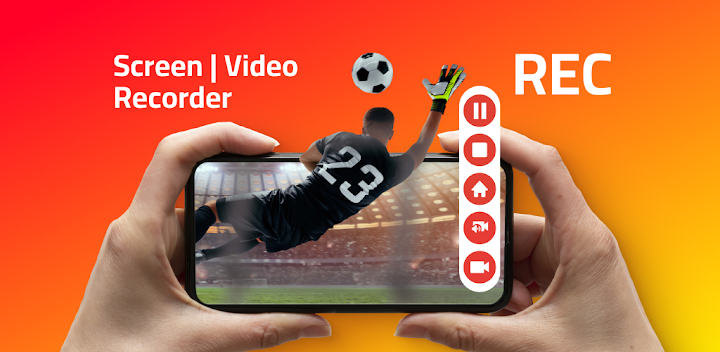
REC - Screen | Video Recorder is a free screen recording app that allows you to record your screen in high quality (UHD, FHD, HD, etc.) with great audio from your microphone.Record Screen - Audio and Video!
Screen Recorder with Audio in HQ
REC - Screen Recorder works on games, tutorials, video calls, live shows, video players, and much more.
Live Screen Recorder
Say yes to the screen recorder app, which provides excellent video screen recorder capabilities in one intuitive UI with super-optimized screen capturing performance.
Smart video recordings storage & sharing
The videos of your screen recordings can be stored in the internal memory of your device or on an SD card or external (USB) storage.
The video files can be shared via email, Messenger, and social media.
REC - Screen | Video Recorder allows you to upload to Dropbox, Google Drive, OneDrive, YouTube, and others.
REC - Screen | Video Recorder fantastic features:
✔️ Easy-to-use Screen Recorder!
✔️ Great audio quality - Screen Recorder with Audio HQ!
✔️ No recording time limit - Video Recorder without limits!
✔️ Many storage locations: internal memory / SD card / external USB device
✔️ Records Screen & Records external sound!
✔️ Can show screen touches while recording
✔️ Pauses/resumes screen recording
✔️ Stay awake mode prevents the screen from going black
✔️ Controls screen recording through floating window or notification bar
✔️ Shake the device to stop the recording screen
✔️ Switch off the screen to stop the video recording
✔️ Option to delay the start of the video recording
✔️ Choose portrait or landscape video orientation
✔️ Support for many video resolutions: UHD, FHD, HD, HQ, SD
And that's not all! We bring you more awesome features!
✔️ Configurable frame rates and bitrates
✔️ Choose whether the audio recording is made or not
✔️ Share recorded videos easily
✔️ Option to edit the video
✔️ Add your logo or watermark to the video
✔️ Provides interfaces in more than 30 languages
✔️ Use our screen recorder for free
✔️ Live Screen & Audio Recorder
✔️ And much more!Yes, you see now why we are the most powerful Screen and Audio Recorder app!
Perfect for tutorials, promo videos, comments, etc.
An ability to record audio from the microphone and to show screen touches while recording is very useful when creating tutorials, promotional videos, comments about your game, etc.
You can also add your logo or watermark to protect your work.
See why we are one of the best recorder apps for years! Millions have already enjoyed the free screen recording features of REC!
So now it's time for you to try superior screen recording!
Download the #1 video screen recording app for FREE!
- Disclaimer
All product names, logos, brands, trademarks and registered trademarks, which are not owned by us, are property of their respective owners.
All company, product and service names used in this app are for identification purposes only. Use of these names, trademarks and brands does not imply endorsement.
REC - Screen | Video Recorder app is owned by us and is not an official application of other companies mentioned in the full description. We are not affiliated, associated, authorized, endorsed by, or in any way officially connected with other companies mentioned in the full description.


