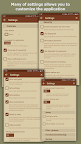
Featured Banner
Icon

VIP Notes

© Ogroman

4.4 2784

Source: Google Play Store

Category: Productivity

Price: USD 14.99

Content Rating: for everyone

Requires: Android 6.0+

Released on: 2014-03-12

[apkz.com] do not include Paid App , please go to Google Play to buy it.

(The more people request, the faster it may be included)

☑ We will notify you as soon as the App is available. If you can't receive notifications, please check back often.

About this App

Notepad with encryption text and attached files
Features:
- encryption AES-256
- attachments (will encrypted if enabled encryption for note)
- view and edit attached files inside application (text and html, photo)
- folders: unlimited nesting (only in full version)
- formatting text
- password's input methods ( digital/full/pattern 3x3/pattern 4x4)
- quick login (short password/fingerprint scanner/biometric)
- clearing data after many attempt to wrong password
- separate password for imperceptible data clearing
- auto-lock by time
- widgets and shortcuts for notes or attached files
- icon library (custom icons)
- color themes
- backup/restore database
- reminders
- labels
- support "Samsung DEX"
- does not contain advertising
- does not require Internet access

limitations of the free version:
- you can create only 3 folder
- only one attached file per one row
- cannot upload custom icons
- attaching file: allowed only from camera and gallery
- disabled automation (automatically backup and reminders without links to notes)
- disabled undo/redo functions
- disabled backup/restore direct through other application ( like clouds )

Some explanation::
- encryption is disabled by default!
- data will be encrypted using you password
- note encryption is enabling in the note editing window.
- the note body and attached files will be encrypted, the note name is not encrypted!
- attached files are encrypted if encryption is enabled for the note they are attached to
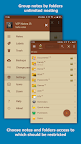
Screenshots

I'm not a robot

In order to block spam bots, we push you a notification with the following code. Please click on the notification to complete the verification.


Notifications may be slightly delayed, please wait a moment.

Or if your device is unable to receive notifications, you can also send us an email.

Tips:

Please allow [apkz.com] to show notifications. We will notify you as soon as the App is ready.

Um, Seems that the notification is not available.
Would you like to send requests and receive updates via email?

Tips:

After the download is successful, please use [APKZ App] to install it.


Unable to determine whether the file was saved successfully, please confirm it yourself before installing.

Tips:

Your browser is out of date and some features may not work properly, please change or upgrade your browser.


For a better user experience, it is recommended to use Google Chrome or Edge.

Tips:

If the download cannot be completed, please open this page in your browser.


For a better user experience, it is recommended to use Google Chrome or Edge.

Tips:

This App can only be installed on Android devices.