Featured Banner
Icon

OCEANUS Connected

© CASIO COMPUTER CO., LTD.

4.2 22485

Source: Google Play Store

Category: Lifestyle

Price: Free

Content Rating: for everyone

Requires: Android 5.0+

Released on: 2017-06-04

This App is not yet included in [apkz.com]. You can click the button below to request.

(The more people request, the faster it may be included)

☑ We will notify you as soon as the App is available. If you can't receive notifications, please check back often.

About this App

The basic application for connecting and communicating with a Bluetooth(R) v4.0.
●Description
This is the basic application for connecting and communicating with a Bluetooth(R) v4.0 enabled CASIO watch.
Pairing your watch with a smartphone enables use of a variety of different Mobile Link functions that greatly enhance the smartphone experience.
The OCEANUS Connected app also simplifies certain watch operations by letting you perform them on your phone screen.

Visit the website below for details.
http://www.casio-watches.com/oceanus/

We recommend using OCEANUS Connected on the following operating systems.
Operation is not guaranteed for any operating system not listed below.
Even if an operating system has been confirmed as compatible, software updates or display specifications may prevent proper display and/or operation.
OCEANUS Connected cannot be used on Android feature phones with arrow keys.

If the smartphone is set to power saving mode, the app may not operate properly. If the app does not operate properly with the smartphone in power saving mode, please turn off power saving mode before use.

Please refer to the FAQ link below to resolve problems such as being unable to connect or operate the watch.
https://support.casio.com/en/support/faqlist.php?cid=009001019

⋅ Android 6.0 or later.
* Bluetooth installed smartphone only.

Applicable Watches: OCW-G2000, OCW-S4000, OCW-T3000, OCW-T200, OCW-S5000, OCW-P2000, OCW-T4000
*Some watches unavailable in your region may be displayed in the application.
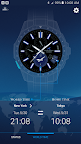
Screenshots

I'm not a robot

In order to block spam bots, we push you a notification with the following code. Please click on the notification to complete the verification.


Notifications may be slightly delayed, please wait a moment.

Or if your device is unable to receive notifications, you can also send us an email.

Tips:

Please allow [apkz.com] to show notifications. We will notify you as soon as the App is ready.

Um, Seems that the notification is not available.
Would you like to send requests and receive updates via email?

Tips:

After the download is successful, please use [APKZ App] to install it.


Unable to determine whether the file was saved successfully, please confirm it yourself before installing.

Tips:

Your browser is out of date and some features may not work properly, please change or upgrade your browser.


For a better user experience, it is recommended to use Google Chrome or Edge.

Tips:

If the download cannot be completed, please open this page in your browser.


For a better user experience, it is recommended to use Google Chrome or Edge.

Tips:

This App can only be installed on Android devices.