You might like:


About this App
Protect your eyes against blue light at night using Night Mode & Night Shift.
Do your eyes feel tired during the night reading on the phone?
Do you have trouble sleeping after constantly staring at your phone screen?
This is caused by blue light. Blue light from your phone and tablet screen is the visible light spectrum (380-550nm) for circadian regulation. According to scientific studies, exposure to blue light imposes serious threats to retinal neurons and inhibits the secretion of melatonin, a hormone that influences circadian rhythms. It is proven that reducing blue light can greatly improve sleep.
Blue light filter is used to reduce blue light by adjusting the screen to natural color. Shifting your screen to night mode can relieve your eyes strain, and your eyes will feel at ease during night reading. Also, a blue light filter will protect your eyes and help you sleep easily.
Features:
● Reduce blue light
● Adjustable filter intensity
● Save power
● Very easy to use
● Built-in screen dimmer
● Eye protector from screen light
Reduce Blue Light
The screen filter can change your screen into natural color, so it can reduce the blue light which will affect your sleep.
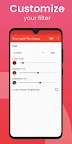
Screen Filter Intensity
By sliding the button, you can easily adjust the filter intensity to soften the screen light.
Save Power
Practice shows it can greatly save power because of reducing screen blue light.
Easy to Use
Handy buttons and an auto timer will help you turn on and turn off the app in one second. A very useful app for eye care.
Screen Dimmer
You can adjust your screen brightness accordingly. Get a better reading experience.
Eye Protector From Screen Light
Screen shift to night mode to protect your eyes and relieve your eyes in no time.
Tips:
● Before installing other apps, please turn off or pause this app to enable installation.
● When taking screenshots, please turn off or pause this app in case screenshots use the app effect.
Relevant Scientific Studies
Effects of blue lights technology
https://en.wikipedia.org/wiki/Effects_of_blue_lights_technology
High Sensitivity of the Human Circadian Melatonin Rhythm to Resetting by Short Wavelength Light
Steven W. Lockley, George C. Brainard, Charles A. Czeisler, 2003
How exposure to blue light affects your brain and body
Nature Neuroscience; Harvard Health Publications; ACS, Sleep Med Rev, American Macular Degeneration Foundation; European Society of Cataract and Refractive Surgeons; JAMA Neurology
AMBER LENSES TO BLOCK BLUE LIGHT AND IMPROVE SLEEP: A RANDOMIZED TRIAL
Chronobiology International, 26(8): 1602–1612, (2009)
Anti Glare Screen Filter
Looking for an anti glare screen filter? This is a useful anti glare screen filter you need to try. Care for your eyes with our anti glare screen filter.
User privacy is very important to us. If you compare to other similar apps, you will find that our app has almost the fewest permission required and the smallest package size, which means that less sensitive information is collected and less uncontrollable risks from third-party code. This app is a very good choice for privacy.
Download Full Blue Light Filter for 100% free!