You might like:


About this App
Backup mobile data; access, sync and share your files on the move!
Protect your digital life with IDrive!
Securely backup your mobile data with private key encryption - the highest level of data security available - so only you can access your files. You can backup multiple devices to one account, and sync files across devices to access your data from anywhere.
Features:
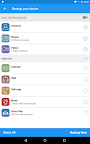
*Backup and restore contacts, photos, videos, calendars, texts and documents (including .doc, .pdf, .zip and more) with a single tap.
*Easily sync files between all linked devices.
*Link your devices to a single account and access your data from anywhere.
*Selectively backup and restore files.
*Share files and folders over a single, secure link.
*Automatic upload option protects your photos and videos as soon as they are taken via Wi-Fi or cellular data.
*Schedule recurring backups by day and time.
*Gallery View allows you to easily slide through all your pictures and videos.
Security features:
*256-bit AES encryption
*Private key encryption ensures only you have access to your data
*Lock app with a passcode.
*Easily unlink devices which are lost or stolen
Information on permissions:
*"Read and Edit your text messages" is required to backup and restore text messages.
*"Network access, network and Wi-Fi connections" is required to reach Wi-Fi and cellular network for backing up your data.
*"Read, add or modify Calendar Events" is required to backup and restore calendar.
*"To read/write Call Logs and Contacts" is required to backup, access, and restore your call history and contacts.
*"Read Phone" is required to get the device ID which helps distinguish your device.
*"Accounts" is required for accessing Play Store for making in-app purchases.
*"Run at startup" is required to run scheduled backups.