You might like:


About this App
Explore 44,000+ radios globally with Radio Explorer SNS - Your online radio hub!
Embark on a global auditory adventure with Radio Explorer SNS, the premier online radio application offering an expansive library of around 44,000 radio stations from across the world. Whether you're into music, news, or cultural programs, Radio Explorer SNS connects you to a diverse range of audio content, tailored to cater to any mood or interest.
Key Features:
Extensive Station Library: Dive into a vast selection of radio stations from numerous countries, ensuring a rich and varied listening experience.
Favorites: Bookmark your preferred stations for swift access, personalizing your radio journey.
Advanced Search: Discover stations by name or tags, efficiently navigating to content that suits your taste or mood.
Lightweight Database: The app smartly downloads only station links, ensuring minimal storage use and optimal performance on your device.
Country-Based Selection: Customize your experience by selecting specific countries, allowing you to focus on the regions or cultures you are most interested in.
Sleep Timer: Use the sleep timer feature to automatically switch off the app, ideal for those who listen as they drift off to sleep.
Auto-Updates: Stations from your chosen countries are automatically updated, ensuring you have the latest and greatest content without additional effort.
How to Use Radio Explorer SNS:
Country Selection: Upon your first use, select one or more countries to access their radio stations. This initial choice tailors the app to your interests and begins your personalized radio experience.
Downloading Stations: After selecting your preferred countries, the app downloads links to their radio stations into your local database. This one-time setup process enables quick and easy access to your favorite stations afterward.
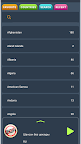
Listening and Exploring: Once the stations are in your database, you can freely search, listen, and mark stations as favorites. The search function allows you to filter stations by name and tags, helping you discover content that aligns with your preferences.
Enjoy Anywhere, Anytime: With your chosen stations saved, you can enjoy listening to your favorite radio broadcasts whenever you wish, with automatic updates ensuring a fresh and dynamic listening experience each time you open the app.
Join the Radio Explorer SNS community today and transform your device into a portal to the world of radio, where global sounds and voices await to enrich your day-to-day life.