You might like:


About this App
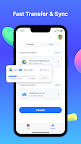
Transfer and manage your multiple cloud files in one place.
Want to transfer or sync files between cloud drives? Download this app to see how it is so amazing.
No more tedious, waste-of-time “copying and pasting”. Transferring files from one of your cloud drives to another is now easier than ever. Set up all your cloud drives in InClowdz once and enjoy a one-click transfer of files between them. Yes, just one click.
Features:
+ Transfer & sync files between cloud drives
+ Manage as many clouds as you have
+ View important cloud info such as storage usage, quota
+ Upload photos, videos from phone to cloud
+ Rename, delete, download files
+ Support for Google Drive, Dropbox, Box, OneDrive, pCloud, Amazon S3 and many more to come
InClowdz allows you to manage your cloud drives and files. If you want to transfer or sync files between cloud drives, you can upgrade to our membership by subscribing to our service.
InClowdz Subscription Terms:
Payments will be charged to iTunes Account at confirmation of purchase.
Recurring subscriptions automatically renew unless auto-renew is turned off at least 24 hours before the end of the current period.
The account will be charged for renewal within 24-hours prior to the end of the current period for the original subscription price.
You can manage and cancel subscriptions from the account settings after purchase.
Monthly Subscription: billed monthly at $9.99
Quarterly Subscription: billed quarterly at $24.99
Yearly Subscription: billed yearly at $59.99
Privacy Policy & Terms of Use:
Privacy Policy: https://www.wondershare.com/privacy.html
Terms of Use: https://www.wondershare.com/company/terms_conditions.html
Full user guide: https://drfone.wondershare.com/guide/file-sharing.html
Contact:
If you have any questions,please submit your feedback here:
https://support.wondershare.com
If you have any issues or suggestions, please message using 'Send Feedback' menu. Thanks.
Disclaimer:
This app does not provide content. By conforming to each cloud API Terms of Service, this app allows users to manage their files.