
You might like:


About this App
smartChord shows and plays more than 1.000.000.000 chords and fingerings
smartChord calculates, shows and plays much more than 1.000.000.000 chords and fingerings: for different instruments, for predefined tunings, for custom tunings, from 3 to 8 strings, from the first to the last fret, for beginners and experts, with capo, for right- or left-handed users, ... and fulfills all your wishes.
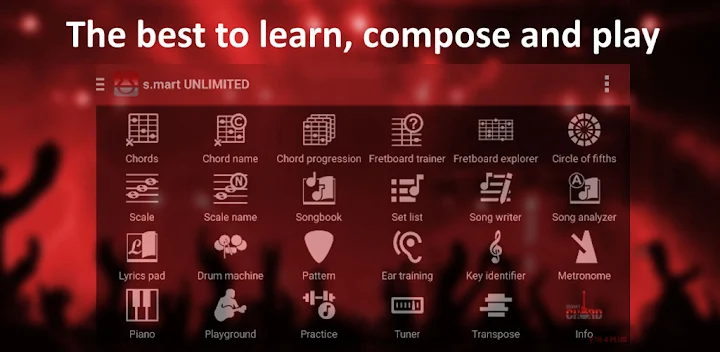
smartChord provides you also a reverse chord finder, scales, arpeggios, a chromatic tuner, metronome, circle of fifths, ear training quiz, pitch pipe, transposing slide ruler, playground, tone generator.
smartChord is the ultimate chord reference:
* Dictionary with > 220 types of chords
* Support of guitar, bass, banjo, balalaika, bouzouki, cavaquinho, mandocello, mandolin, ukulele, ...
** Calculates all the possibilities for playing a chord and the fingering
* Full supports for capo
* Supports instruments with shortened strings (e.g. 5 string Banjo)
* Expansion of each chord to a 'slash chord'
* Browser/explorer for comfortable navigation
* Modes for different playing strength (basic, advanced, expert)
* Individual adjustment for almost everything. For example: Showing (no/just) barré-chords, number of the frets and finger, if base tone is obligatory, ...
* Viewer for the grips:
- In detail, in the gallery or all the fingerings in the overview
- Limited to a range of the fretboard
- Notes of the chord or of the whole fretboard
- For right- or left-handed users (lefties)
* For the overview:
- Clear charts and diagrams
- Define your favourites
- Filter and search the chords
- Sort the fingerings according to best sound, level of difficulty, placement on the fretboard, number of the required fingers
* audio playback of every chord and every fingering. The sound can be chosen. E.g. classic-, acoustic-, electric-guitar, ...
‘smartChord PLUS Chords’ allows to
choose between more than 350 predefined tunings (e.g. DADGAD or Open A)
define any number of individual custom tuning for each instrument
assemble and retain any favorite fingering for any predefined or customized tuning. smartChord gives your “fingering favorites” preferential treatment and highlights them or displays them on a specific screen.
save your favorite chord progressions – of famous compositions, your excercises or your own music.
create backups of all smartChord data such as settings, chord progressions, exercises, etc.
smartChord knows also the other way around. It finds out, if a chosen grip corresponds with a certain chord. This feature is generally known as reverse chord finder. By the way, you can define if you allow slash chords, inverted chords or incomplete chords.
======== PLEASE NOTE ========
‘smartChord PLUS Chords’ is a plugin for the app 'smartChords & Tools' (V3.1 or later). It can't run alone! You need to install 'smart Chords & Tools' from the Google Play store:
https://play.google.com/store/apps/details?id=de.smartchord.droid
=============================


